Data Store Record Viewer
Data Store Record Viewer
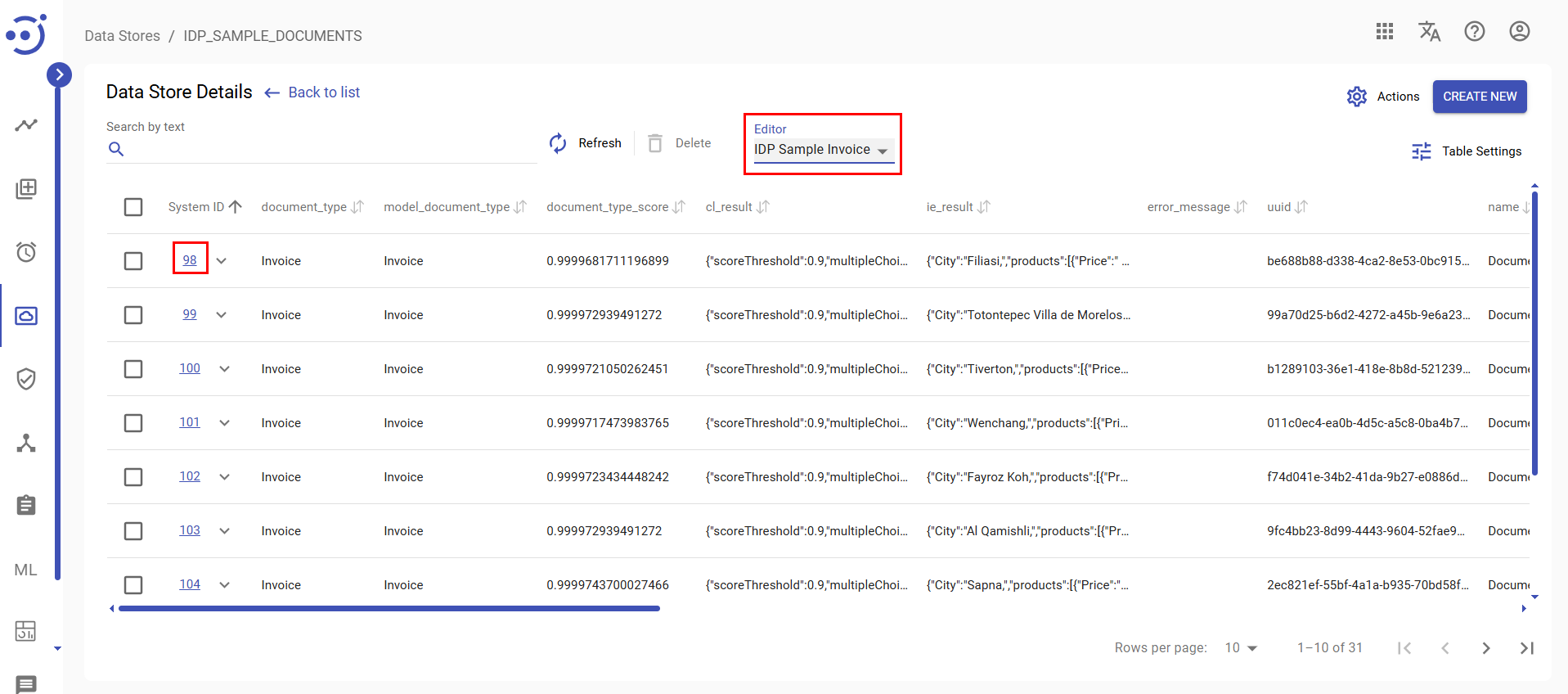
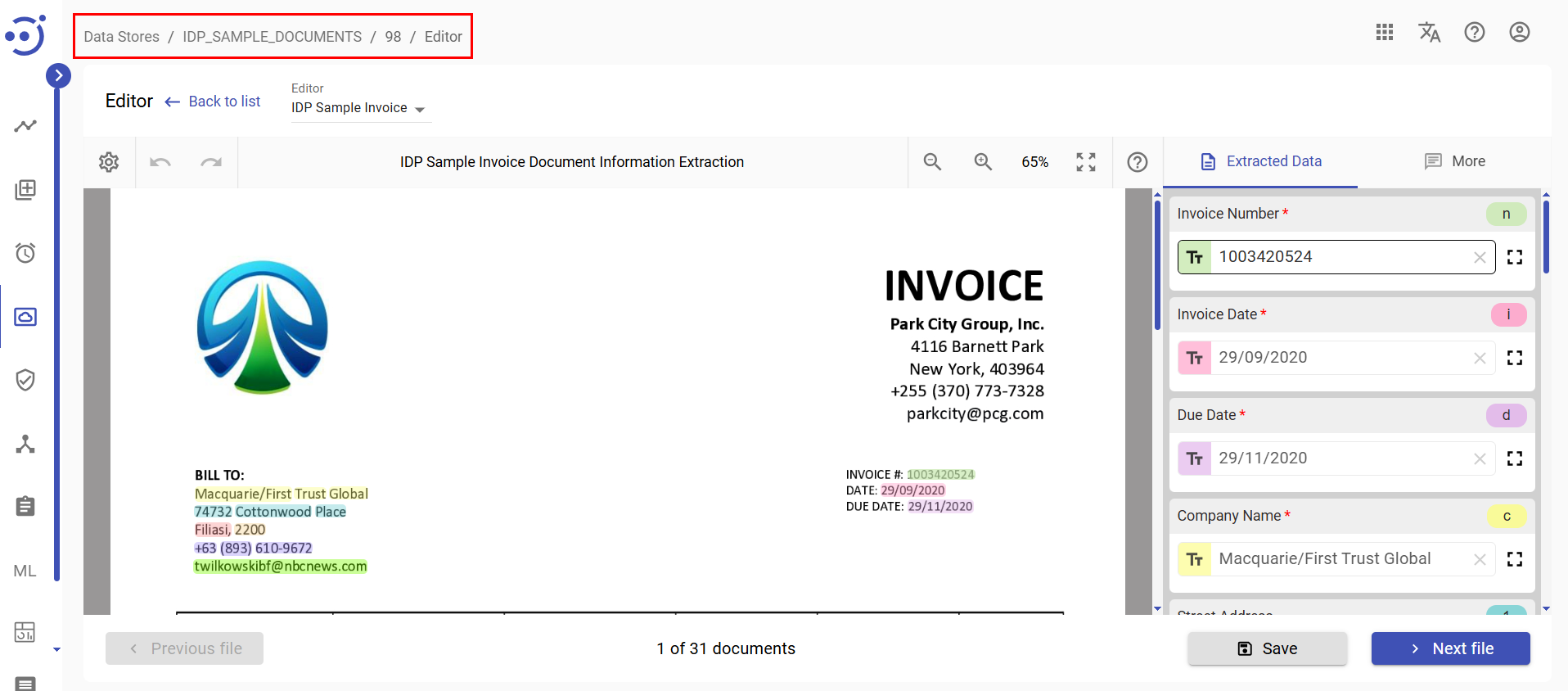
The Datastore Record Viewer enables the viewing and editing of individual datastore records, providing the same familiar interface available in Workspace and Document Set.
Accessing the Datastore Record Viewer
To view or edit a document record within a data store, first select the desired Document Type from the Editor dropdown menu in the Datastore Record Viewer.
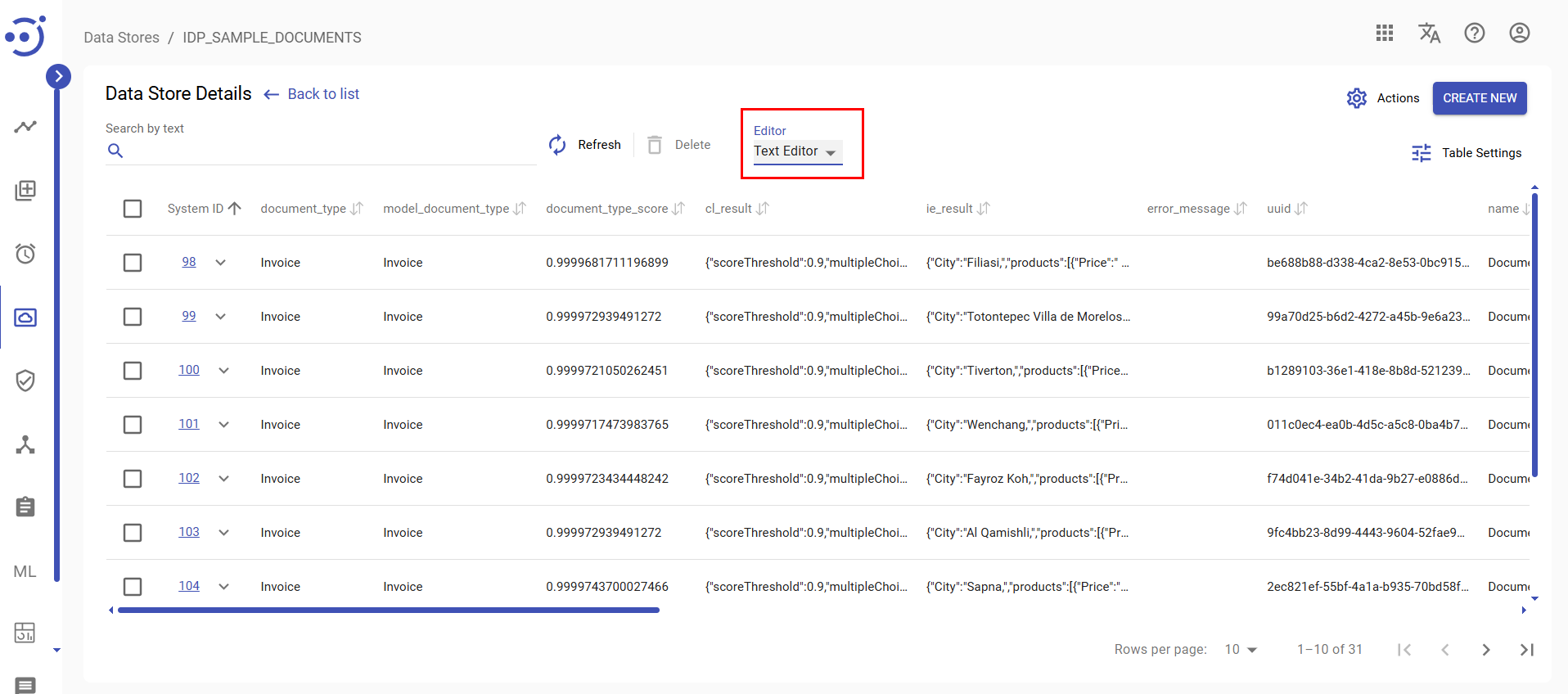
The Editor dropdown is not populated by default. It initially displays “Text Editor” until Document Types are configured. When the Editor dropdown contains "Text Editor" text, clicking a System ID will launch the Edit Data Store window.
Configuring Available Document Types
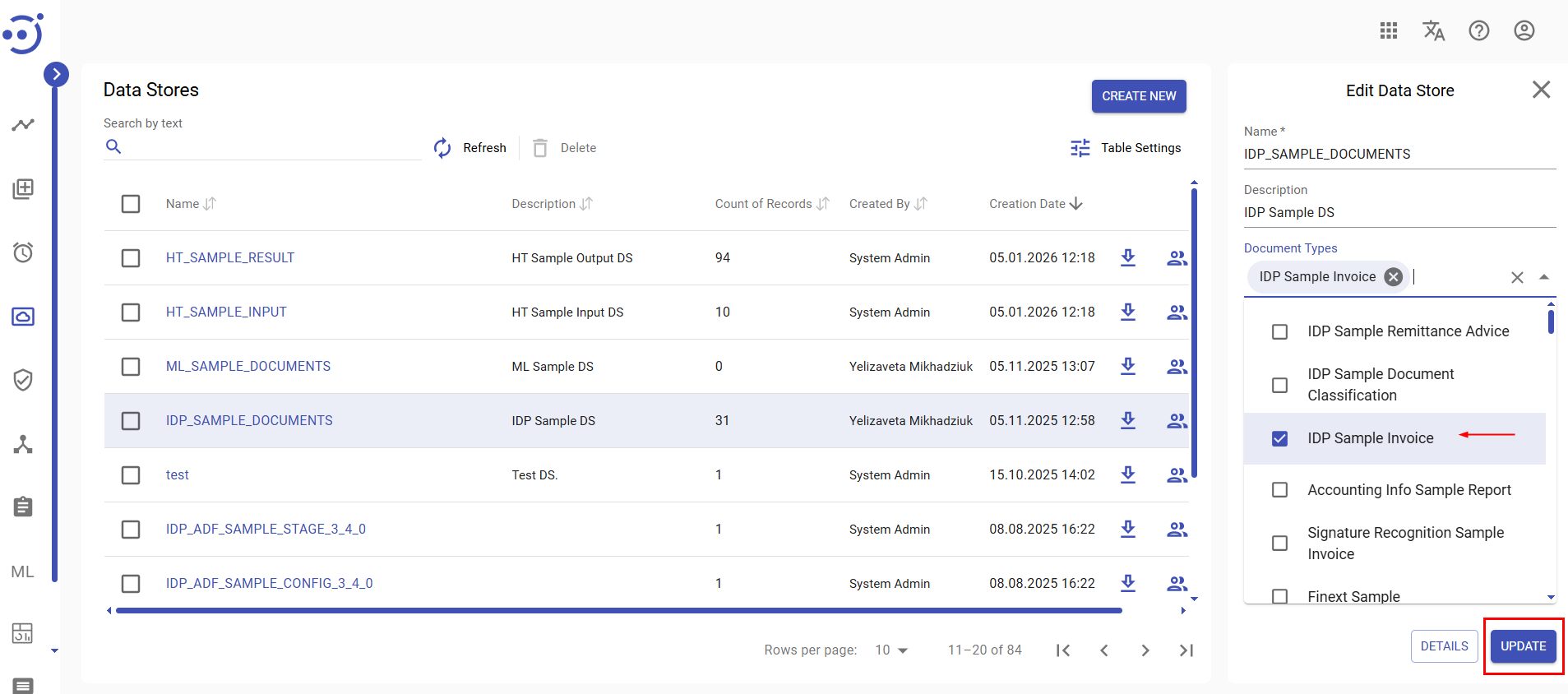
Before using the Record Viewer, you must specify which Document Types are available for selection. To do so:
- Navigate to Data Stores.
- Locate the desired data store.
- Click anywhere on the corresponding table row to open the Edit Data Store panel.
- In the Document Types dropdown, select one or more Document Types.
- Click Update.
Once configured, the Editor dropdown in the Datastore Record Viewer will reflect the selected Document Types.
Viewing or Editing a Document Record
To open a document record for viewing or editing:
- From the Data Stores interface, click the name of the data store to open it.
- Choose a Document Type from the Editor dropdown.
- Click the System ID of the desired record to open it in Editor mode.